Get started
Your first dictation
Put your cursor in any app, hold the key, speak, and let go. Under a minute.
Once the permissions are granted and the speech model has downloaded, you are ready. This takes about a minute.
Try it
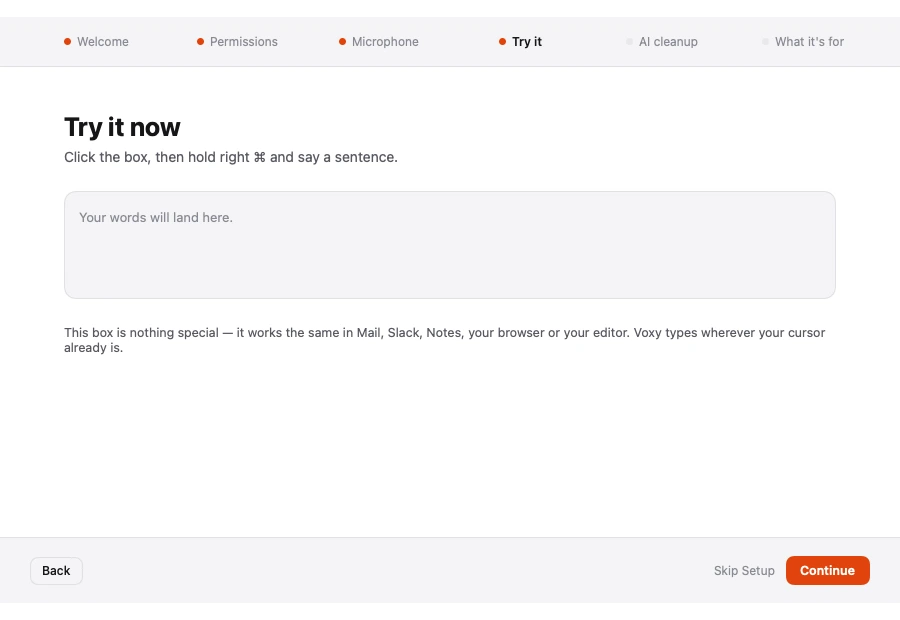
- Open any app that takes text — Mail, Notes, Messages, a browser.
- Click into the text field so the cursor is blinking.
- Hold your dictation key. The default is Right ⌘ (Command).
- Say a full sentence at a normal pace.
- Let go.
A small pill appears near the bottom of the screen while you speak, so you can see that Voxy is listening. When you release the key, the polished text is typed where your cursor was.
Tip Speak in whole sentences rather than single words. Voxy uses the surrounding words to decide punctuation and spelling, so it does better with a run of natural speech than with one word at a time.
What Voxy does to your words
Two things happen between speaking and seeing text:
- Transcription. A speech model turns audio into raw words. This is the Speech Engine.
- Refining. A small local AI model tidies the result — punctuation, capital letters, filler words. This is AI Refine, and it is optional.
Both run on your own machine. Neither sends anything to a server.
Things to try next
| Try this | What happens |
|---|---|
| Say "new line" | Starts a new line instead of typing the words |
| Say "new paragraph" | Leaves a blank line between paragraphs |
| Say "um" or "uh" | Removed automatically, never typed |
| Dictate into a code editor | Voxy switches to code mode by itself |
If nothing appears
The most common cause is Accessibility permission not being granted, or Voxy needing a restart after it was. See Permissions, then Troubleshooting if it still does not work.
Changing the key
Right ⌘ is only the default. You can pick a different key, or switch from holding to tapping, under Hold or tap.