Personalize
Phrases
Give a short cue to any text you type often, then speak the cue instead of the whole thing.
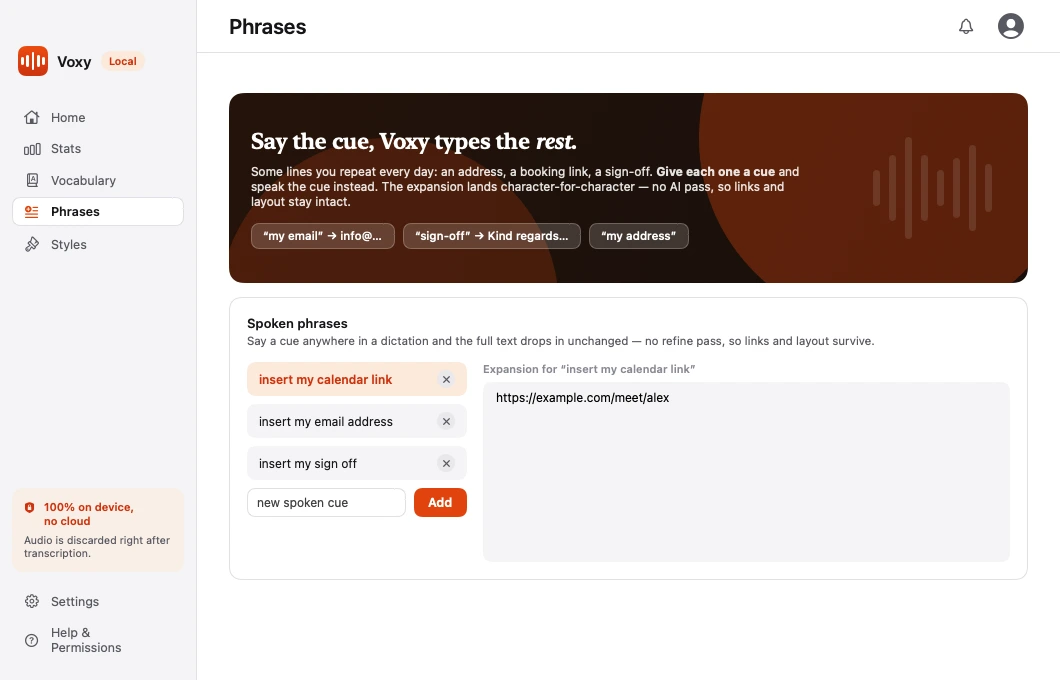
A phrase is a block of text with a spoken cue attached. Say the cue in the middle of a dictation and the full text drops in.
Open the main Voxy window and pick Phrases in the sidebar.
What it is for
Anything you type often and identically:
- Your address
- A booking or calendar link
- An email sign-off
- A standard reply
- A bank account or reference number
Creating one
- Open Phrases.
- Add a new entry.
- Give it a cue — a short spoken trigger, like "my address".
- Paste or type the full text.
Then dictate anywhere and say the cue. The full text lands in place of it.
The text lands untouched
Phrases skip the refine pass entirely. Whatever you saved is exactly what appears — no re-punctuation, no capitalisation changes, no reflowing.
That is deliberate. It is what makes phrases safe for the things that break when they are "tidied":
- URLs and links
- Line breaks and indentation
- Reference numbers
- Anything with deliberate formatting
Choosing a good cue
- Use two or three words, not one. A single common word will fire by accident.
- Pick something you would not say in ordinary conversation.
- "my address" is better than "address". "sign off" is better than "off".
Where it is stored
On macOS:
~/Library/Application Support/Willow/snippets.jsonThe folder is still named Willow — that was the app's original name, and renaming it would orphan the settings of everyone already using Voxy.
On Windows:
%LOCALAPPDATA%\Voxy\snippets.jsonPlain JSON on both platforms, so you can read it, back it up, or copy it to your other machine.
Phrases versus Vocabulary
They solve different problems:
| Use | For |
|---|---|
| Vocabulary | Making Voxy spell a word correctly |
| Phrases | Replacing a short cue with a long block of text |