Personalize
Vocabulary
Teach Voxy names, jargon and spellings it must get right, and fix words it keeps mishearing.
Every job has words a general speech model has never met — client names, product names, industry jargon, colleagues' surnames. The Vocabulary page is where you teach them to Voxy.
Open the main Voxy window and pick Vocabulary in the sidebar.
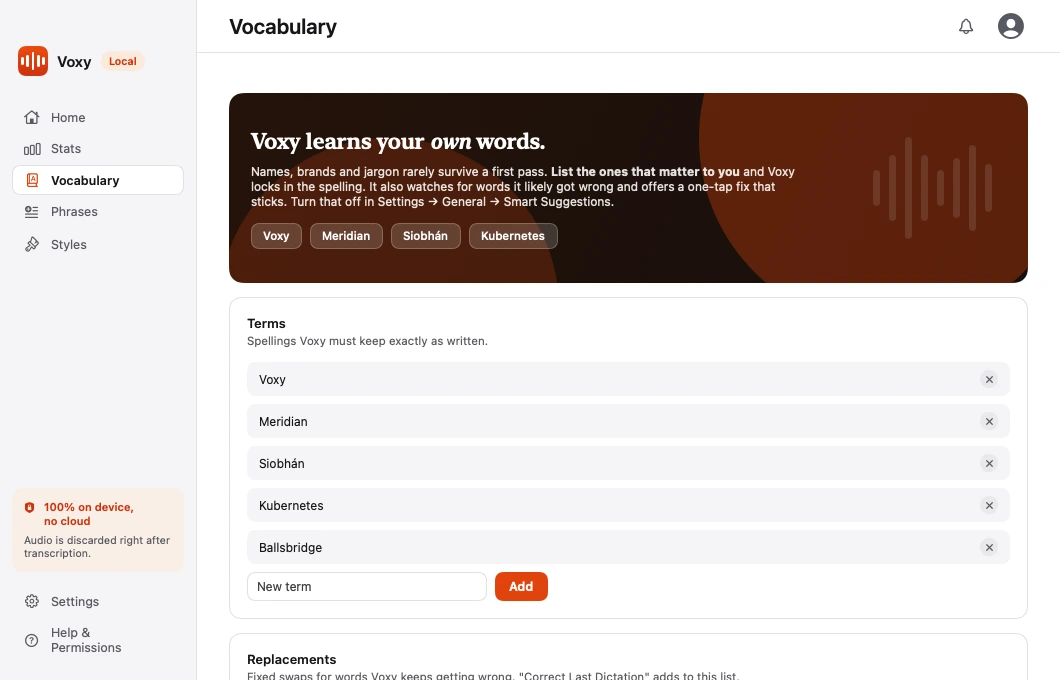
Terms
Terms are spellings Voxy must keep exactly as written.
Add a term and the refine pass is told to spell it that way whenever it hears it. This is the right list for:
- Company and product names —
Voxy,Supabase,Klarna - People's names —
Siobhán,Nguyen - Industry words —
arthroscopy,conveyancing
Terms do not force a match. They tell the refine pass what the correct spelling looks like when the sound is close.
Replacements
Replacements are fixed swaps, applied before the AI step. If Voxy keeps hearing one thing when you said another, this is the list that fixes it for good.
A replacement has two halves:
- Heard — the wrong text Voxy produces.
- Correct — what it should have been.
Unlike Terms, this is exact and deterministic. It happens every time, regardless of whether AI Refine is on.
Correct Last Dictation
The fastest way to add a replacement is to fix a mistake as it happens.
- Right after a dictation that came out wrong, open Voxy's menu — the menu bar on macOS, the tray icon on Windows.
- Choose Correct Last Dictation.
- Fix the word.
The correction is saved to your Replacements list, so the same mistake does not happen twice.
Smart Suggestions
Voxy can offer to open Correct Last Dictation for you.
When a word in your dictation is not in your system's own dictionary and is not in your Vocabulary, Voxy shows a notification suggesting a fix. Nothing is added unless you confirm it.
Turn it on or off in Settings → General → Smart Suggestions.
Note This check runs entirely on-device. Voxy compares against the macOS dictionary already on your computer. Nothing is sent anywhere, and no word is stored unless you accept the suggestion.
Developer words are already there
If you dictate into an editor or terminal, Voxy merges a built-in developer vocabulary — npm, pnpm, kubectl, Supabase, PostgreSQL and about forty more — so you do not have to add them. See Code mode.
Where it is stored
Your vocabulary lives in a plain JSON file on your own machine:
On macOS:
~/Library/Application Support/Willow/dictionary.jsonThe folder is still named Willow — that was the app's original name, and renaming it would orphan the settings of everyone already using Voxy.
On Windows:
%LOCALAPPDATA%\Voxy\dictionary.jsonPlain JSON on both platforms, so you can read it, back it up, or copy it to your other machine.