Personalize
Styles
Set a writing tone per app, so Voxy is casual in Messages and polished in Mail without you thinking about it.
A style is a tone instruction. Voxy applies one automatically based on which app you are dictating into, so the same spoken sentence comes out casual in Messages and polished in Mail.
Open the main Voxy window and pick Styles in the sidebar.
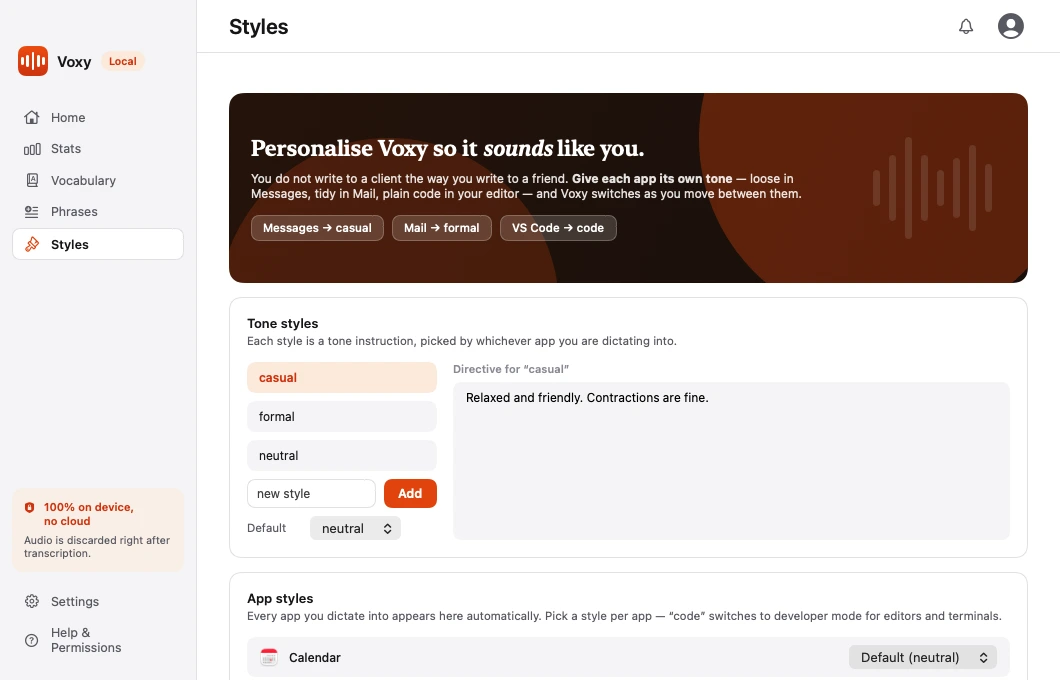
Tone styles
The top of the page lists your styles. Each one is a short instruction that tells the refine pass how to write.
Voxy ships with three: neutral (the default, which changes nothing), formal, and casual. You can edit them or add your own. A style is just a name and a description of the tone you want.
Five apps are mapped out of the box, so the feature works before you touch it:
| App | Style |
|---|---|
| Mail, Outlook | formal |
| Messages, Slack, WhatsApp | casual |
| Everything else | neutral |
Good style instructions are short and concrete:
casual— relaxed, contractions fine, no formal sign-offsformal— full sentences, no contractions, professional registerterse— as few words as possible, no pleasantries
App styles
The lower half of the page lists every app you have dictated into. Each one has a dropdown where you pick its style.
Apps appear here automatically the first time you dictate into them. You do not have to set anything up in advance.
To change one:
- Open Styles.
- Find the app in the App styles list.
- Pick a style from its dropdown.
Leaving an app on Default means it uses whichever style you have set as the default.
Adding an app before you use it
If you want an app configured in advance, press Add App. You can pick from apps currently running, or browse for one that is not.
The reserved "code" style
One style name is special: code. Setting an app to code switches Voxy into code mode for that app — identifiers stay exact, symbols are spelled as symbols, and shell commands are left alone.
Sixteen editors and terminals already do this without any setup. The code style is how you add a seventeenth.
Note You cannot create a style called code yourself. The name is reserved, because it does something no tone instruction can do.
Overriding for one message
Say a style name at the start of a dictation to use it for that message only. See Switching tone mid-dictation.
Where it is stored
On macOS:
~/Library/Application Support/Willow/styles.jsonThe folder is still named Willow — that was the app's original name, and renaming it would orphan the settings of everyone already using Voxy.
On Windows:
%LOCALAPPDATA%\Voxy\styles.jsonPlain JSON on both platforms, so you can read it, back it up, or copy it to your other machine.